

Do you need SEO reporting software, or can you keep building client reports by hand for another year? This guide gives you 4 plain signs that answer the question. You also get what the time saved is worth at 5 client counts, plus the cases where you should keep your money. I’m Michael Gleed, the founder of Lumea Direct, and I run my own SEO agency on this software, so check my math as you read.
Most owners land here during the month-end pile, worried that a paid tool is one more bill. That worry is fair at 2 clients, but the stakes grow with your client list. Rushed reports take hours from client work, and they leave you with weak answers when a client asks what they’re paying for. Our guide to SEO client reporting shows what a full monthly report carries.
Do You Have More Than 3 Clients?
More than 3 clients is the first sign you need SEO reporting software, since the hours begin to stack. At 35 minutes per hand-built report, 4 clients take 140 minutes every month. All of that work lands in the few days right after the month closes, when your calls and fixes land too.
The timing matters more than the total, since Google’s numbers lag 2 to 3 days. You can’t spread the work across the whole month, so every report waits until those numbers settle in the first week. The whole batch then has to fit inside those few working days.
Once reports build from uploaded files, a month of client reports takes a fraction of the time. Client count isn’t a verdict on its own, since 4 simple reports can be easier than 2 complicated ones. Treat it as your first check, then time your reports.
Does Each Report Take You Over 30 Minutes?
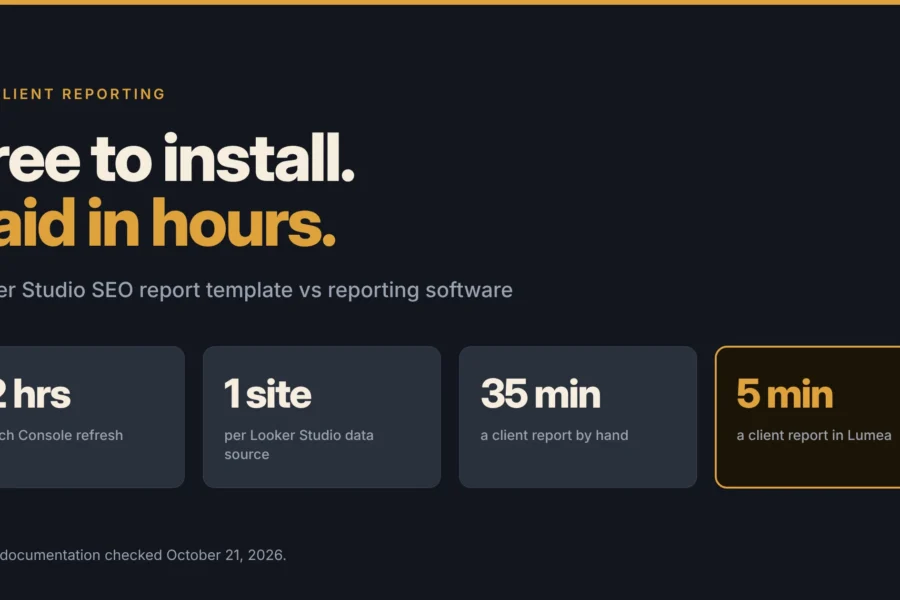
A report that takes over 30 minutes is the second sign. My hand-built reports took about 35 minutes each, and the same report in Lumea takes about 5 minutes today. That saved me 30 minutes per client every month, though your times will vary.
Run a phone timer on your next report, from the first open tab until you press send. Count the summary and the hunt for live links, which a guess skips. Then multiply that total by your client count and by 12 months. At 10 clients and 35 minutes each, the total is 70 hours a year, and that’s the figure to hold against any price.
Are You Copying Numbers by Hand Into Every Report?
Copying numbers by hand is the third sign, because every retyped number is a chance to send the wrong figure. My hand-built reports pulled from 6 places, so I was moving between 6 screens. The list below shows what I pulled for those reports, before I moved them into Lumea.
- Google Search Console: clicks, impressions, and average position for the month.
- Google Business Profile: calls, views, and reviews for local clients.
- Google Analytics: website traffic and how it changed from last month.
- Semrush: organic traffic, keyword rankings, authority score, AI visibility, and site health.
- Local Brand Manager: map pack and geogrid rank tracking for business profiles.
- Screenshots of real listings: how the client appears in Google Search and Google Maps.
Software removes most of that copying, although the amount depends on the tool you pick. In Lumea Direct, 1 click pulls Search Console numbers for every client, while Google Business Profile numbers still get typed in for now. Lumea Reports works from your files instead, and it reads GA4, Semrush, BrightLocal, and ChatGPT screenshots. You check each number before it goes into a report.
Do Clients Keep Asking What You Did This Month?
A client asking what you did this month is the fourth sign. One question like that is enough to act on, because it means your report shows numbers without the work behind them. The fix is a list of finished pages, with 1 live link for each page.
Dashboards like AgencyAnalytics, DashThis, and Swydo chart Google numbers well, but Search Console has no record of the page your writer published. A rising line with no work may earn Google the credit. A falling line with no work beside it leads that same client to question the retainer.
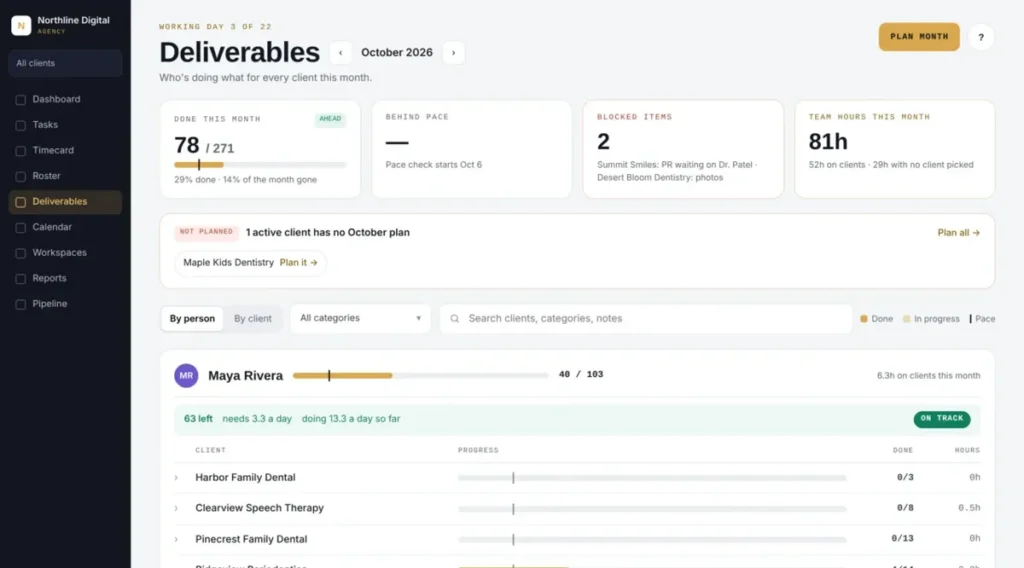
The list of finished work also helps when numbers fall, because you have something real to discuss. Pair it with next month’s plan, and use our guide on how to explain a bad SEO month for the wording. In Lumea, that list comes from the Deliverables screen, so it’s ready.
Is SEO Reporting Software Worth the Monthly Cost?
SEO reporting software is worth the cost when the time it saves is worth more than the plan. I value that time at your billing rate, since those hours can go to client work. Take 5 clients at 30 minutes saved each, which gives you 2.5 hours a month. At $100 an hour, that’s $250 of time, more than the $98 Starter plan. Rates vary by agency, so run the table with your own number.
| Clients | Hours saved a month | Value at $100 an hour | Lumea Reports, reports only | Lumea Direct, runs the whole agency |
| 3 | 1.5 | $150 | Studio, $29 | Starter, $98 |
| 5 | 2.5 | $250 | Team, $59 | Starter, $98 |
| 8 | 4 | $400 | Team, $59 | Growth, $197 |
| 12 | 6 | $600 | Firm, $99 | Growth, $197 |
| 20 | 10 | $1,000 | Firm, $99 | Agency, $296 |
Lumea Reports means at least 30 minutes saved per client, and it’s built for agencies that only need the report. Lumea Direct also covers deliverables, timecards, and profit per client, so the report is one part of what you’re paying for. I read these prices on each live page on November 5, 2026, and Lumea Direct’s page dates its prices October 6, 2026. Plan terms and your savings may differ. Agencies with more than 25 clients get a custom plan, so email support@lumeadirect.com to talk with us.
When Should You Keep Building Reports by Hand?
Keep building reports by hand when you have 3 clients or fewer and each report takes under 30 minutes. Paying for software in that spot buys you very little, even coming from someone who sells it. These 4 cases are where waiting or a free option makes sense.
- You have 1 client: our free monthly SEO report template covers 1 client every month at $0, with no credit card.
- You report on one site for your own team: a free spreadsheet can do the job.
- You want a live dashboard to dig through: Looker Studio is free and suits your own analysis.
- You don’t know what belongs in a report yet: settle that by hand for 2 or 3 months first.
My rule is to move when any 2 of the 4 signs are true at once, because 1 sign can be a busy month. Check the list whenever you sign a client, since the math changes. Waiting costs little at 2 clients, and the cost grows with every new client you add.
Get the First Days of the Month Back
I built Lumea Direct inside my own SEO agency, and my client reports go out from it every month. Each one went from about 35 minutes to about 5, though your results will vary. The change I care about most is the client call, because the work, the numbers, and the plan now sit in one link.
Time one report this week, because that number settles most of this decision. If 2 of the 4 signs fit your agency, compare the plans on our pricing page today. Every plan starts with 14 free days, no card, no sales call. If they don’t fit yet, keep your money and check the list again when you sign your next client.
What Else Do Agency Owners Ask About SEO Tools and Results?
Is SEO really necessary?
SEO is necessary when your customers search for what you sell and the revenue beats cost. The Small Business Administration’s guide to managing your business tells owners to compare marketing costs with the revenue they generate. A business whose buyers rarely use search may do better spending that budget elsewhere.
What are the top 5 tools for SEO?
Five free tools cover most of the basics for a small site. They are Google Search Console, Google Analytics, Google Business Profile, Bing Webmaster Tools, and Looker Studio. The first four show how people find and use a site. Google’s guide to its no-cost dashboard tool, now listed as Data Studio, covers turning that data into reports.
How do I check if my SEO is working?
Compare organic clicks against the same dates last year, because that removes most seasonal swings. The Search Console Performance report shows the past three months by default, and you can change the date range. Rising clicks are a good start, but leads are the stronger test.
What are some SEO metrics?
Clicks, impressions, click-through rate, and average position are the ones to learn first. Google’s guide to Core Web Vitals thresholds adds page experience marks, such as good loading within 2.5 seconds. Leads and customers won belong on your list too, because clients pay for those.